Although Pocket PE is a mobile application designed for use on iOS and Android devices, it can be installed and used on Apple MacBook computers powered by Apple Silicon (M1 or newer). Just follow these simple steps to get started:
Step 1: Launch the Mac App Store either from the Dock or Applications folder.

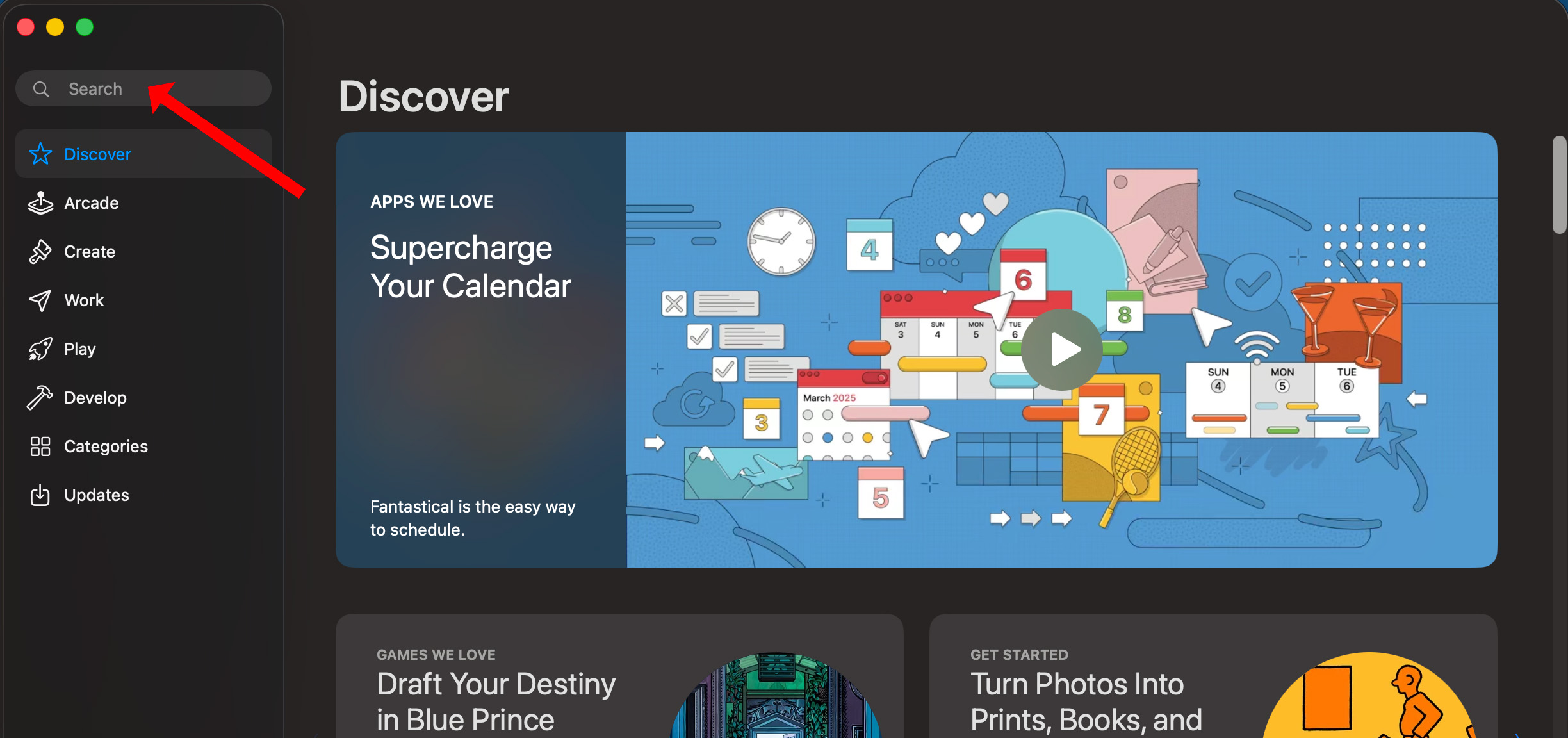
Step 2: Search for "Pocket PE" in the search bar.
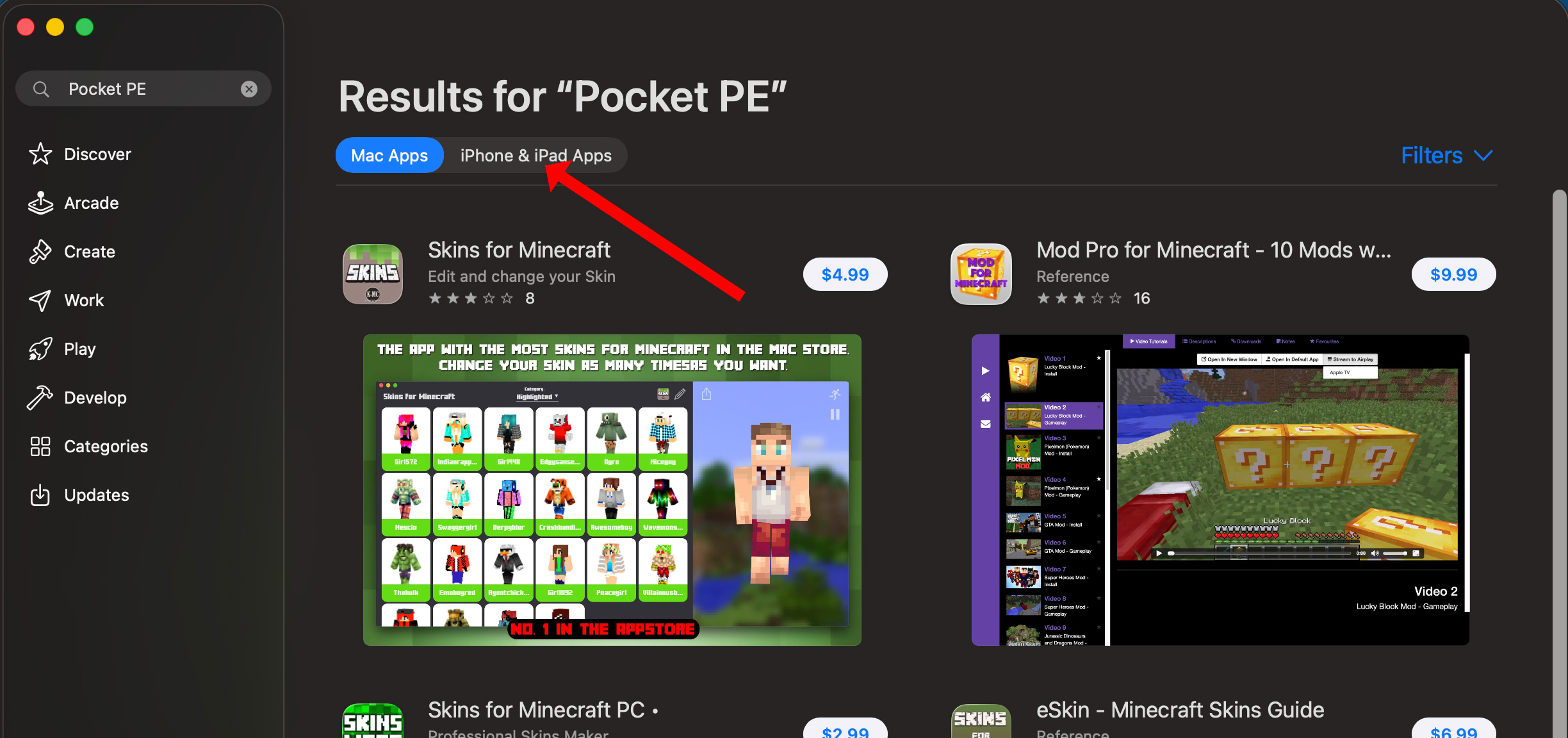
Step 3: Click on "iPhone and iPad Apps"
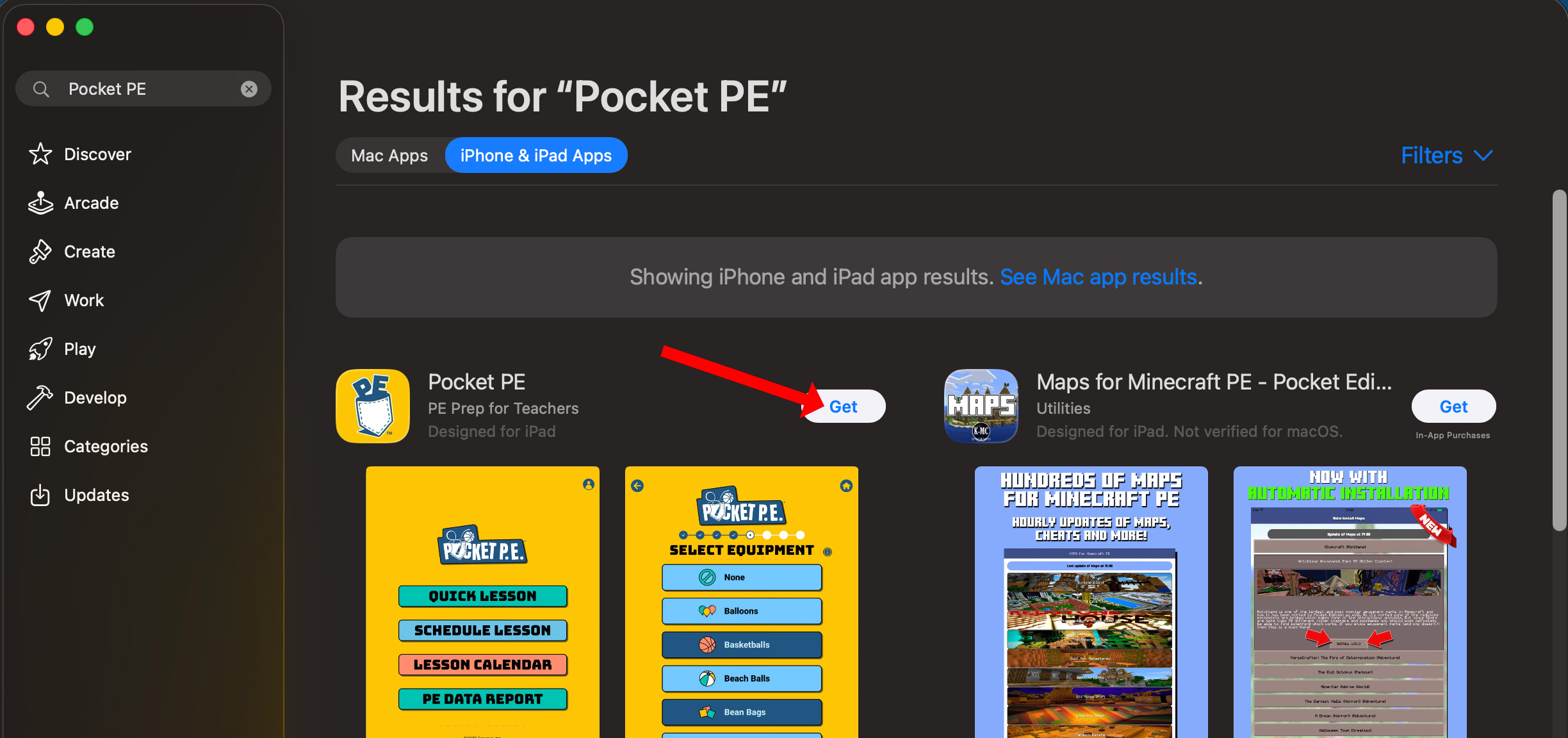
Step 4: Pocket PE should be the first result in the list. If not, scroll down until you see it. Click on "Get"
Once the app has been installed, log in with your Pocket PE username (email address) and password. The app will need to download activity content (graphics, video and music totaling approximately 1.7GB) before you can get started, so please make sure to complete this step ahead of time. And that's all there is to it!
Was this article helpful?
That’s Great!
Thank you for your feedback
Sorry! We couldn't be helpful
Thank you for your feedback
Feedback sent
We appreciate your effort and will try to fix the article